Choose Your Avatar: 20 New Characters and One That's Yours
· Gaming Couch
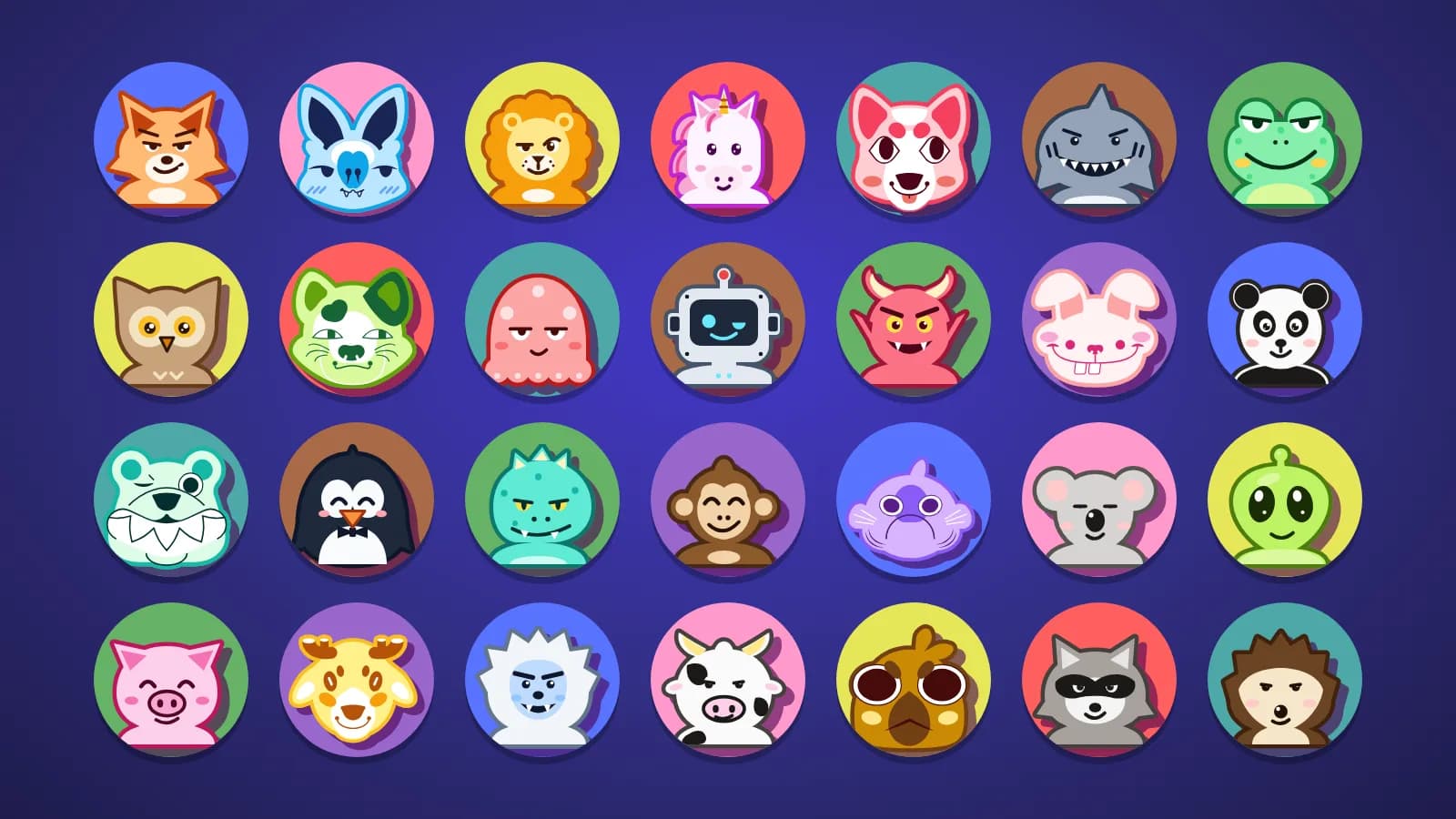
You can now choose your own avatar on Gaming Couch. Pick from 28 characters, keep your favourite across parties and phones, and watch it follow you through the night: into your character when a game starts, and onto the podium when you win.
Until now, your avatar came with your seat. Blue was always the bat, red was always the dog, and if you wanted to be the crow you had to fight someone for the brown seat. Not anymore.
20 New Faces
The original eight (bat, dog, cat, rabbit, bear, fish, faun and crow) are now joined by twenty new characters:
- Animals: fox, lion, frog, shark, octopus, pig, panda, penguin, cow, koala, raccoon, owl, monkey and hedgehog
- Creatures: dino, alien, imp, robot, unicorn and yeti
They're all drawn in the same chunky sticker style as the originals, each with its own slightly mischievous expression. The new ones keep their natural colours, so a pink pig stays pink whichever seat you sit in.
Pick Yours
On your phone's lobby screen, tap your avatar to open the picker, then tap the one you want. That's it. It shows up on the TV and on everyone else's phones straight away, even in the middle of a party, so you can change your mind between games as many times as you like.
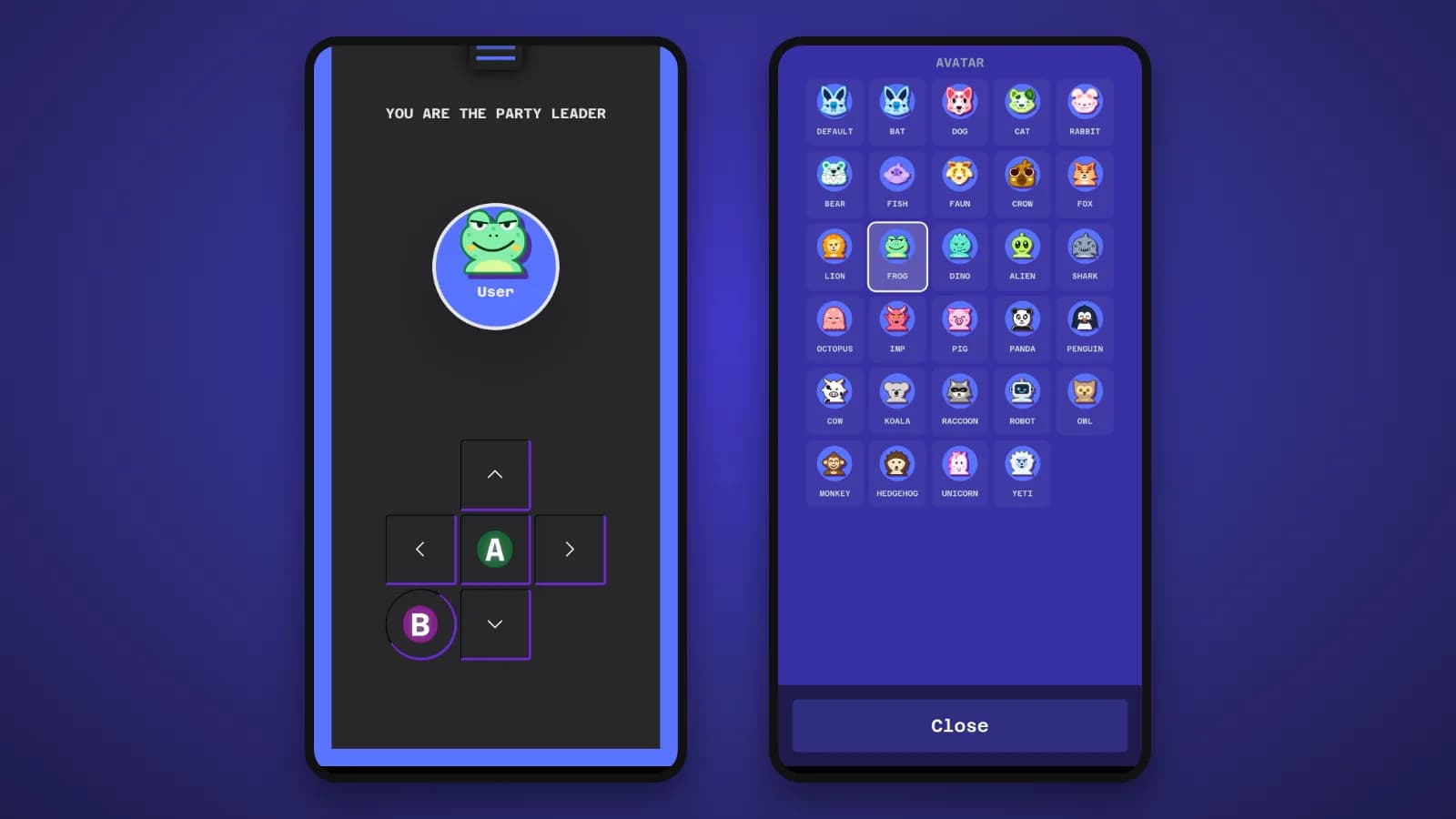
Your choice is saved to your account, so the next time you join a party, on any phone, your avatar is already waiting for you. If you'd rather go back to your seat's character, pick Default.
Playing as a guest? You still get your seat's avatar, and you can browse the picker too. Picking one will invite you to create a free account, and the avatar you picked is saved to it as soon as you sign up or sign in.
Twins Get Their Own Colours
Everyone wants to be the frog? Fine, you can all be the frog. When two or more players pick the same avatar, each one wears their seat colour on a part of the character: the frog's belly, the fox's ears, the shark's fin, the unicorn's mane. That way you can still tell the blue frog from the red frog at a glance.

If you're the only one on your avatar, you wear it plain.
From the Lobby to the Game
Your avatar isn't just a profile picture. In games that support it, when a new game starts, every player's avatar flies from the lineup on the TV and lands on their character, so everyone can find themselves on screen before the action kicks off. No more "wait, which one am I?" during the first ten seconds.
On the Podium
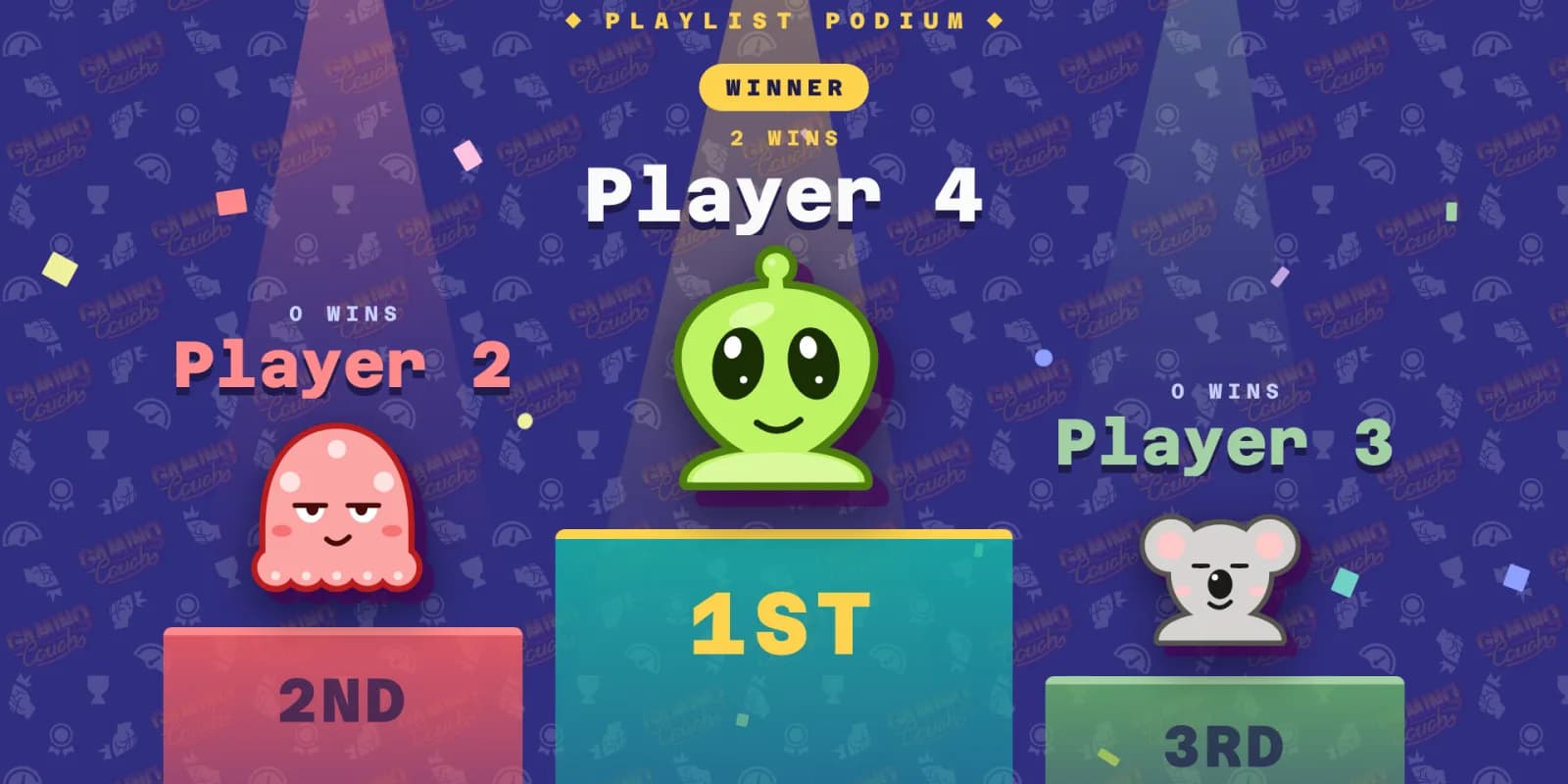
Your avatar comes along to the end of the night too. The playlist ceremony puts it on the podium, and the final standings and shareable images show everyone's chosen avatar as well. Now the winning screenshot you drop in the group chat actually looks like you.
How Do I Get It?
Start a party, grab your phone and tap your avatar in the lobby. If you're new to Gaming Couch, our guide to hosting a game night with just a TV and everyone's phones will get you set up in a few minutes. Then pick a game and go!
Thanks to everyone who asked for this one. We can't wait to see which avatar turns out to be the most popular. Our money's on the unicorn.
See you on the couch!