Game Night Gets a Finale: Introducing Playlist Ceremonies
· Gaming Couch
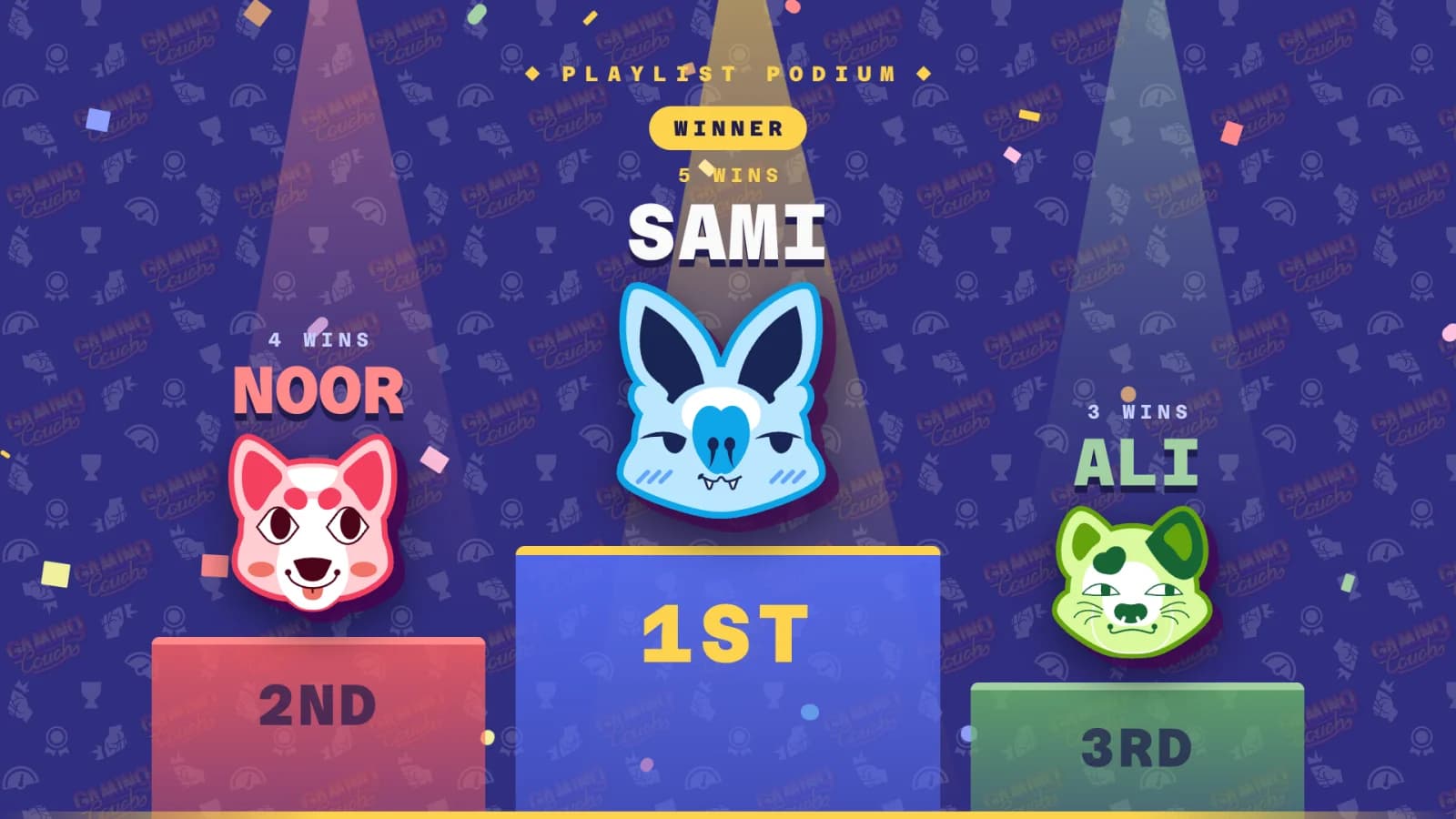
Game nights now have a proper finale. When a playlist ends on Gaming Couch, the TV hosts a ceremony: a drumroll, a podium reveal, awards for the night, the evening's biggest rivalry, and the final standings for everyone who played. And when it's over, anyone can share those screens straight from their phone!
You've been asking for this one for a while. After an evening of rounds, the last result used to flash by and that was it. The winner deserved more than that, and so did everyone who came second by one point and is still talking about it.
The Podium
Every ceremony opens with a drumroll and three empty podium steps.

Third place is revealed first, then second, and then the winner gets the top step, the spotlight and the confetti.
The podium is about the playlist you just finished, with each player's wins for that playlist. Make sure your sounds are on, the drumroll is part of the fun.
Tonight's Awards
Winning isn't the only story of a game night, so the ceremony hands out awards for the whole night, not just the last playlist:
- Player of the Night goes to whoever played best across the evening.
- Most Improved goes to the player who finished much stronger than they started.
- Unluckiest goes to the player who played round after round without many wins to show for it. Everyone knows someone who deserves this one.

Each award goes to a different player where possible, so the spotlight gets passed around.
Tonight's Rivalry
The ceremony keeps a head-to-head record between every pair of players across the night. Finish ahead of someone and that's a point to you, even if neither of you won the round. Then it calls out the rivalry of the night: who leads, who's chasing, and the score between them.
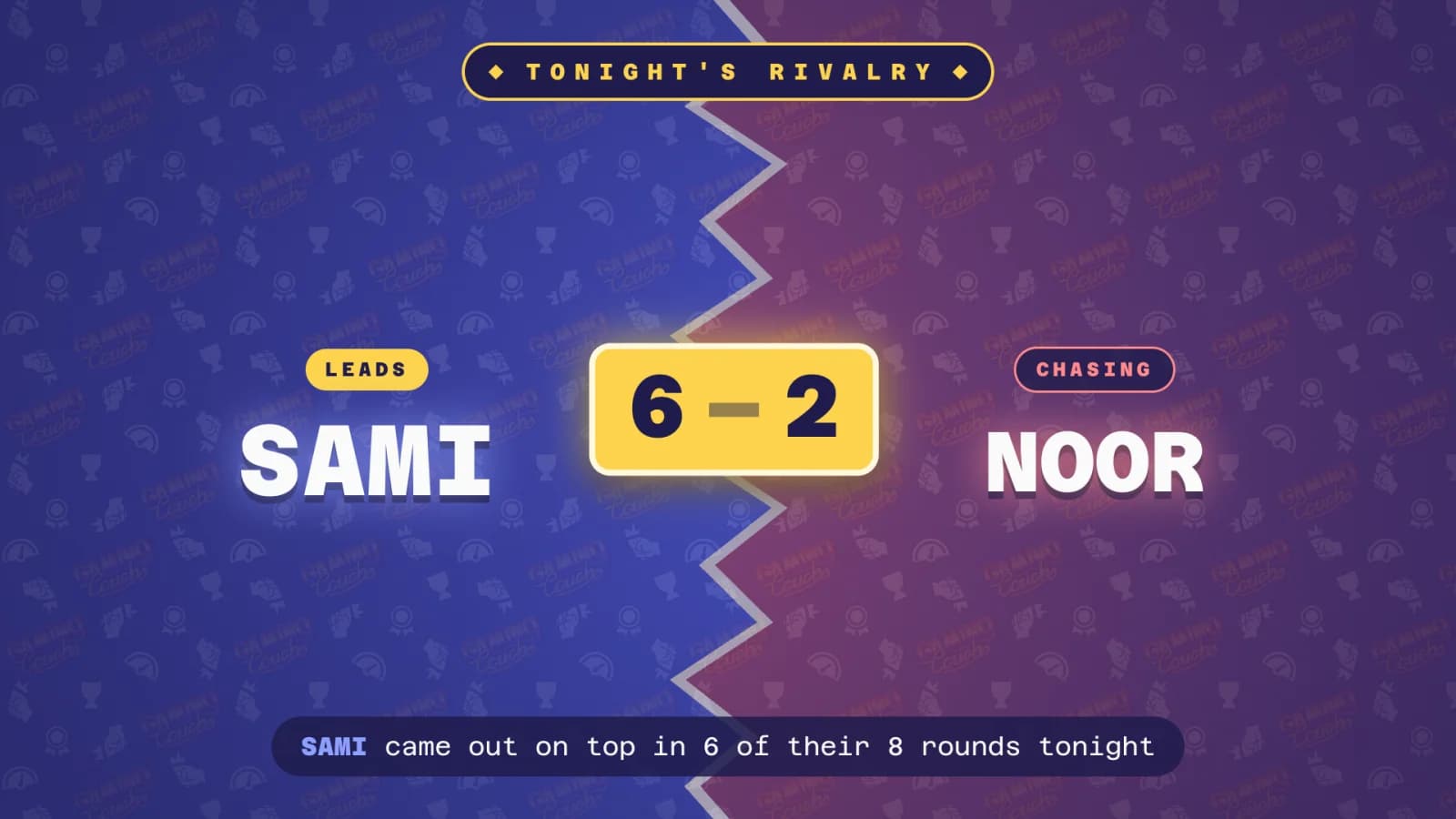
It settles arguments. It also might just start new ones, which is exactly what a rematch needs.
Final Standings
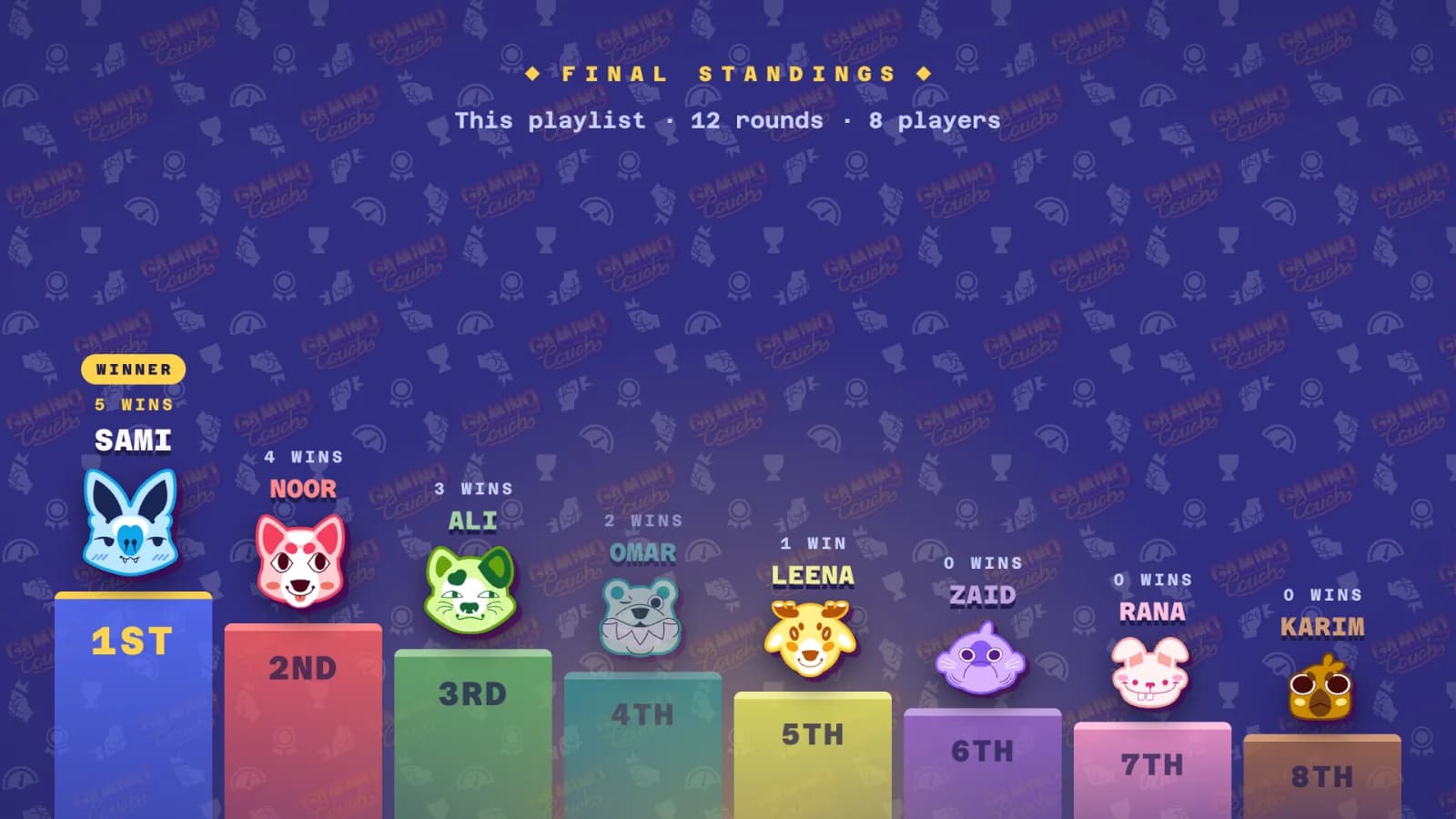
The ceremony closes on the full standings, so everybody gets their moment, not just the top three. You see each player's placing and wins, along with how many rounds you played and how many people joined in.
Share Your Night
When the ceremony finishes, everyone's phone gets an invitation to share it. Pick the Podium, Awards, Rivalry or Standings, tap Share, and your phone's own share sheet opens with the image, ready to drop into the group chat or post wherever you like. If your phone can't share files, you can download the image instead.
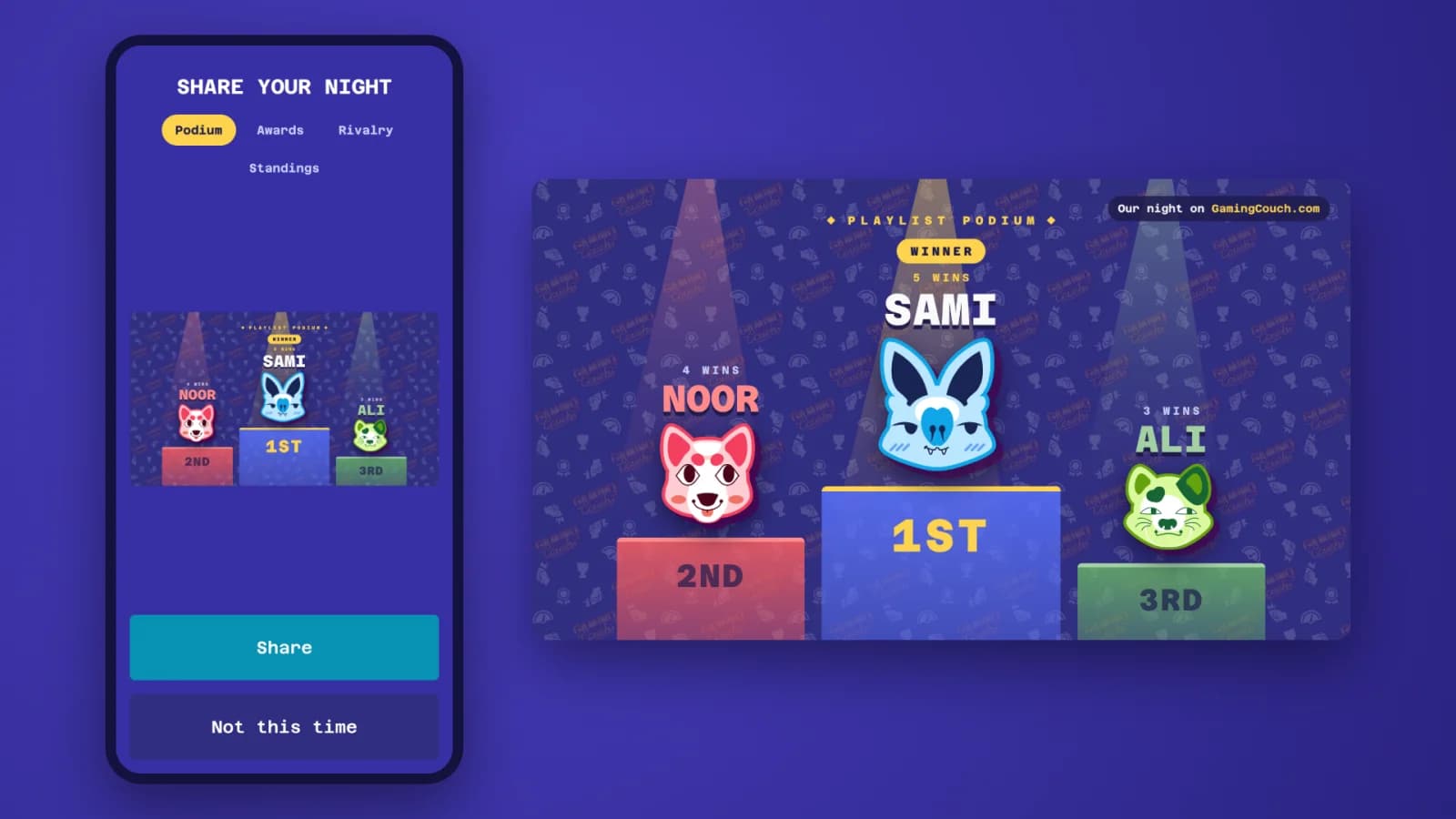
Missed the prompt? A Share button stays on your phone until the next playlist starts, so you can grab the image after the arguing has settled down.
How does it work?
Simply play a playlist with friends, and when it ends after at least five rounds with at least two players on the podium, the ceremony starts on its own. Shorter playlists still end on the usual results screen.
New to Gaming Couch? Our guide to hosting a game night with just a TV and everyone's phones will get you set up in a few minutes.
Thanks to everyone who asked for this. Now go win something worth sharing.
See you on the couch!