Browser Games to Play with Friends, No Downloads Needed
· Gaming Couch
The best gaming sessions are rarely the planned ones. Someone says "we should play something," and you have about ninety seconds of collective attention to make it happen before the moment passes. That's the real use case for browser games to play with friends: no downloads, no launchers, no "hang on, it's updating."
Here's how to pull that off, whether your friends are on the couch next to you or on the other side of a video call.
Why Browser Games Beat Downloads for Group Play
Multiplayer browser games have one killer advantage: everyone can join instantly on hardware they already own. No checking system requirements, no waiting for a 40 GB install, no "I'm on console and you're on PC." If a device has a browser (laptop, phone, smart TV), it's a gaming device.
The catch is that many browser games are built for solo play or anonymous online matchmaking. Playing with your friends, in a private session, is a different requirement. The games below all support private group play.
Same Room: One Screen, Phones as Controllers
For groups in the same room, the strongest setup is one shared screen plus everyone's phones. Gaming Couch is built around exactly this: open the site on a TV or laptop, friends scan a QR code, and their phones become controllers for fast multiplayer browser games supporting up to 8 players. A nice example rotation:
- Space Race: Full Sequence has you boost, slam, and send your rivals spinning in a galactic rocket race.
- Abstract: Balance puts up to 8 players on a shifting balance board with exactly one goal: don't fall off.
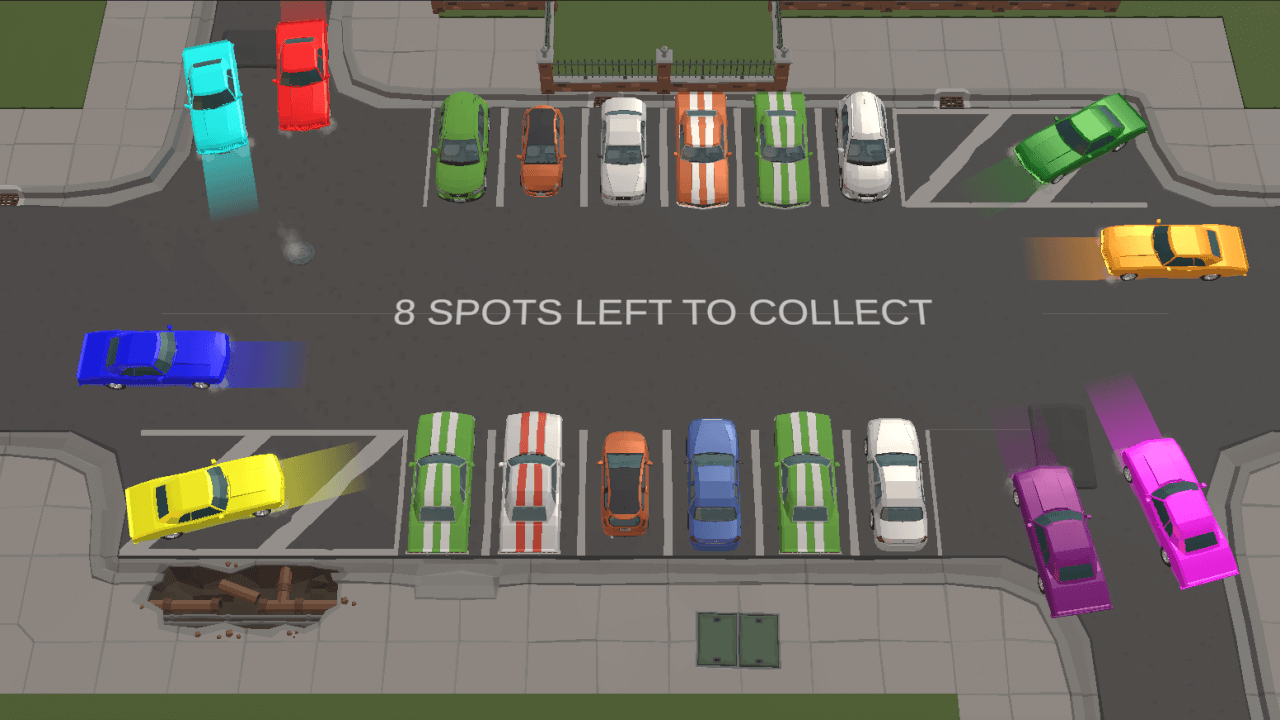
- Party Cars: Capture Spots is all about ramming and drifting to steal parking spots from your friends.
- Kinderzeichnung is Snake drawn in crayon: draw your line, box your friends in, don't crash.
Rounds run about a minute, so the "just one more game" loop is dangerous in the best way.
Over a Call: Remote Play via Screen Sharing
Scattered across cities? Browser games still work, and screen sharing is the trick:
- Start a call on Discord, Zoom, or Google Meet.
- The host opens the game and shares their screen (on Discord, share the browser tab and enable sound).
- Remote friends scan the QR code from the shared screen, or the host pastes the join link in chat, and their phones become controllers, same as in person.
A stable connection matters more than a fast one here. If someone's controls feel laggy, having them switch off VPN or hop onto a less congested network usually fixes it.
Classic Free Browser Games for Groups
Beyond phone-as-controller platforms, a few browser staples remain great for friend groups: Skribbl.io for draw-and-guess, Gartic Phone for drawing-telephone chaos, and chess or card sites for smaller, slower evenings. They're keyboard-and-mouse affairs and mostly language-dependent, but they've earned their reputations.
If you're weighing platforms that do the phone-as-controller format specifically, we compared the main options in our AirConsole alternative breakdown, which covers how Gaming Couch stacks up on price, setup, and catalog.
Quick Answers
Do my friends need accounts? On Gaming Couch, no. Nobody has to sign up for anything. Scan, join, play.
How many people can play? Up to 8 simultaneous players per session, and games with bot support work solo too.
Does it cost anything? No. Every game on Gaming Couch is free, with no premium tier.
What if someone shows up late? They scan the QR code between rounds and jump into the next game.
Start Here
The next time someone says "we should play something," you now have a 90-second answer: open the game catalog, pick something with a fun thumbnail, and hand out nothing. Everyone already brought their controller.